
003
Skill Lab
Beginner
Install MicroPython on the Pico 2 W
Give the Pico 2 W the language it needs before asking it to do anything.
Mission: teach the Pico its language
MicroPython is the version of Python that runs directly on the Pico 2 W.
This setup step puts MicroPython firmware onto the board. After this, Thonny can talk to the Pico instead of only running code on your computer.
Open Thonny first
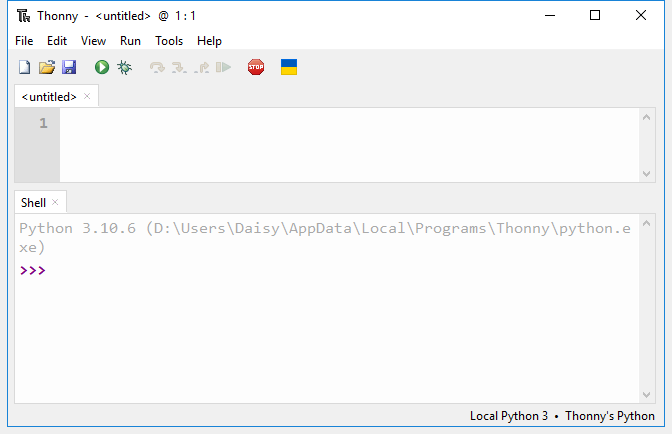
Open Thonny. Leave it open while you connect the Pico in the next step.
Enter BOOTSEL mode
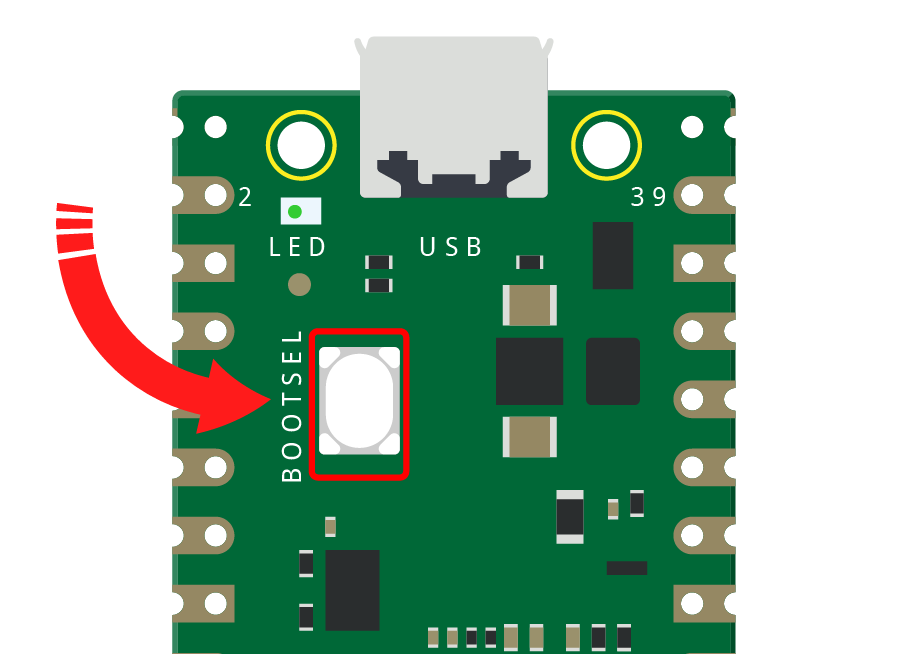
Unplug the Pico. Hold BOOTSEL, plug the USB cable into your computer, then release BOOTSEL after the board appears as a drive.
On many computers, the drive name starts with RPI. If it does not appear, try a different USB cable; charging-only cables are a common setup trap.
Choose Install MicroPython
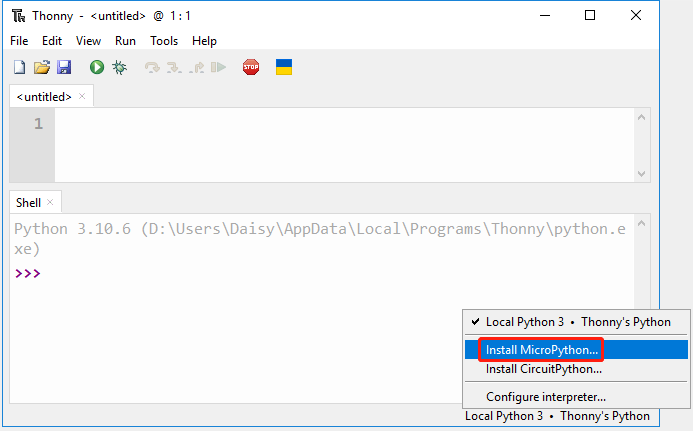
In Thonny, open the interpreter selector and choose the MicroPython install option.
If that option is missing, update Thonny and reconnect the Pico in BOOTSEL mode.
Pick the Pico 2 W target
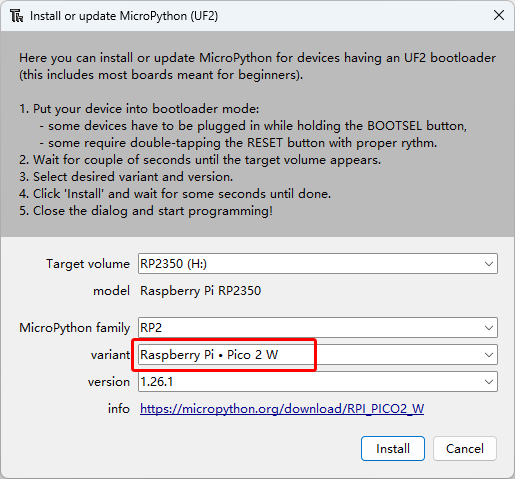
Select the Pico 2 W or Pico 2 WH MicroPython variant. Confirm the target volume is the Pico drive, then install.
When installation finishes, the board may disconnect and reconnect. That is normal.
Confirm the install
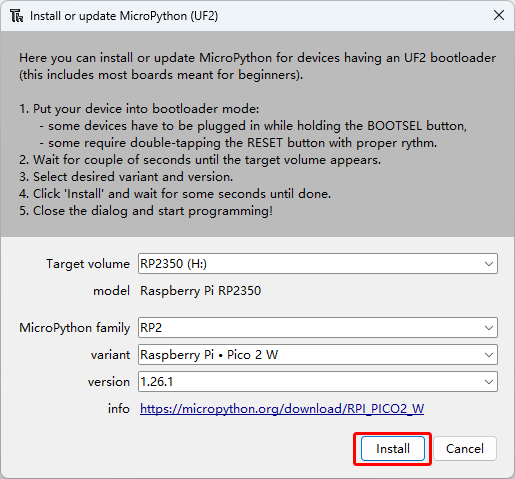
Confirm the target and install. When the setup finishes, return to Thonny and select the Pico MicroPython interpreter.
If the board disappears for a moment, wait before unplugging. Firmware installs can cause a reconnect.
Checkpoint
Mark this complete when:
- MicroPython has been installed from Thonny.
- Thonny can select a MicroPython interpreter for Raspberry Pi Pico.
- The Pico is connected with a data USB cable.
If Thonny cannot see the board, retry BOOTSEL mode and check the cable first.
Private Dev Log
Write two or three sentences:
1. The easiest part of firmware setup was...
2. The confusing part was...
3. If the Pico is not detected later, I will check...
References and next step
Reference used for setup flow and screenshots:
https://docs.sunfounder.com/projects/pico-2w-kit/en/latest/pyproject/python_start/install_micropython_to_pico.html
Next lesson: Blink the Built-in LED.